
Microsoft Sculpt Ergonomic Mouse (L6V-00001), Black. Microsoft MAIN-35956 Sculpt Ergonomic Mouse
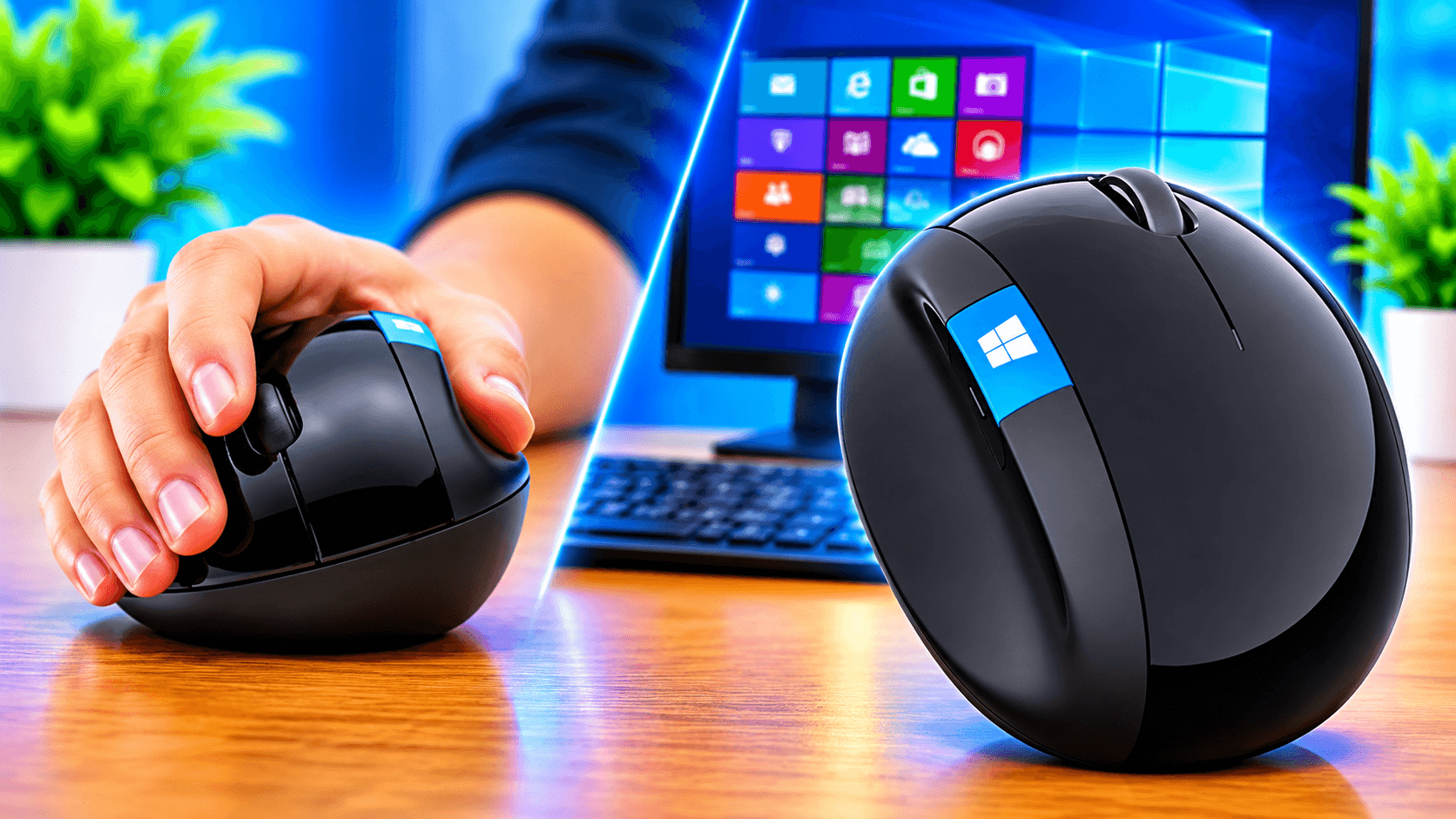
You use your mouse countless times throughout the day, so its design is important. The Microsoft Sculpt Ergonomic Mouse (L6V-00001) in black prioritizes hand and wrist comfort. Its curved shape and thumb scoop on each side enhance this purpose.
A shape designed for wrist comfort.
The design of this mouse aims to maximize wrist comfort. Instead of a flat, boxy shape, it has a contour that conforms to the natural position of your hand. For those who work on a computer for long periods of time, it is beneficial to start with a wrist-friendly mouse.
A thumb scoop that supports your grip.
This mouse has a thumb scoop that provides a specific resting place for your thumb, which helps maintain the correct ergonomic posture of your hand and wrist. This subtle angle can make holding the mouse more natural during everyday tasks.
One-touch Windows button.
With a Windows button, this mouse eliminates the need to constantly use the keyboard. It features a Windows button that provides one-touch access to the Start screen. With a simple click, you can quickly open an app or search for something by holding the mouse.
Back button for efficient navigation.
An ergonomic mouse with a back button improves your browsing and file management experience. The back button helps you quickly go to the previous page or window, reducing the number of clicks when researching, reading, or organizing files for long periods of time.
Scrolling in all directions.
The mouse's 4-way scroll wheel design allows you to navigate up, down, left, and right. This is useful for long web pages, large spreadsheets, and large documents, where vertical and horizontal scrolling is often required.
Who will like it?
Office workers who spend most of their day on the computer
Students and writers who browse and scroll frequently
Spreadsheet users who need horizontal scrolling
Windows users who value the one-touch Start screen button
Those looking for a more comfortable alternative to a regular mouse
Short Info
Brand: Microsoft
Model: Sculpt Ergonomic Mouse, L6V-00001 (MAIN-35956)
Color: Black
Comfortable Features: Wrist-friendly shape and thumb scoop
Buttons: Windows button and back button
Scroll: 4-way scroll wheel
Summary
The Microsoft Sculpt Ergonomic Mouse prioritizes comfort. Its wrist-friendly shape, thumb scoop, Windows button, back button, and 4-way scroll wheel are combined in a sleek black design. If you need a mouse specifically designed for your work, this option is definitely worth considering.