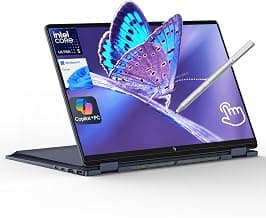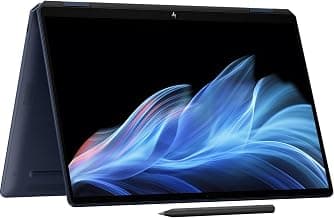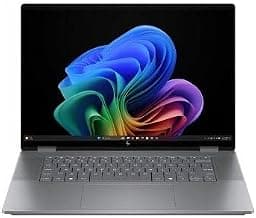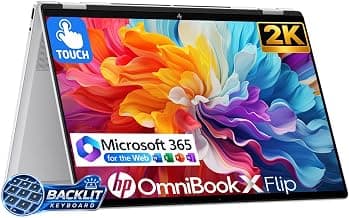

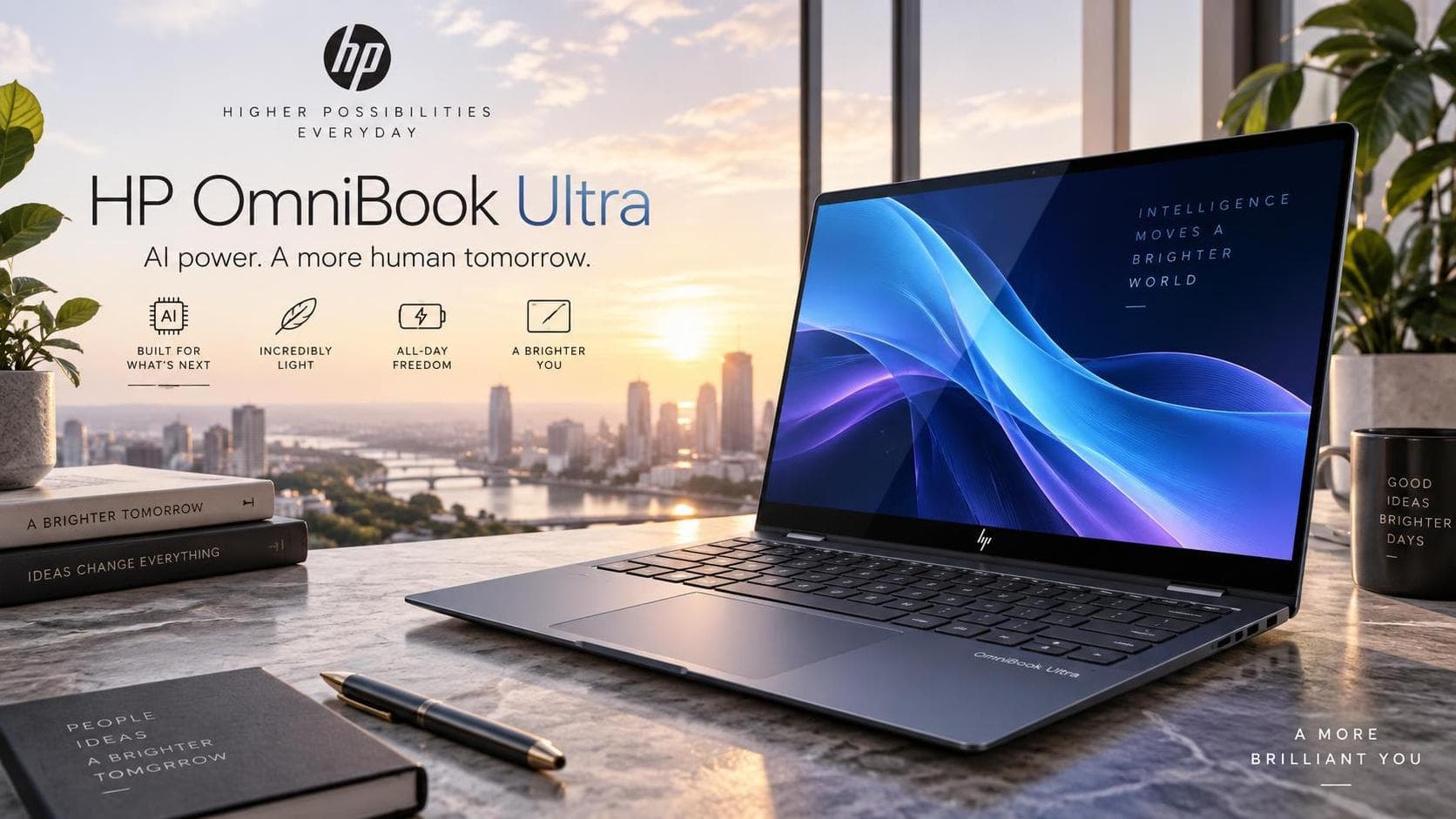
The HP OmniBook Ultra 14 (2026) is one of the best premium Windows ultraportables for mobile professionals—especially if you want a superb OLED touchscreen, excellent battery life, a light aluminum chassis, and strong Snapdragon X2 Elite performance. Its biggest caveat is that the Snapdragon versions run Windows on Arm, so check specialized software and peripherals before you buy.
Verdict
Buy it if your work centers on Microsoft 365, web apps, meetings, writing, research, coding tools confirmed to run on Arm, and occasional creative work. Its 3K OLED panel, 5MP IR webcam, tactile keyboard, haptic touchpad, efficient performance, and roughly 2.8-pound weight make it unusually complete for travel and hybrid work.
Skip it if you need USB-A, HDMI, a card reader, built-in 5G, a matte display, or guaranteed support for legacy drivers and niche Windows tools. Its three USB-C ports are fast and versatile, but adapters or a dock will be necessary for many office setups
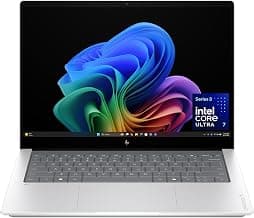
OmniBook X 14
OmniBook X 14 inch Next Gen AI PC, 3K Touchscreen, Intel® CORE™ Ultra 7 Processor 356H, 24 GB RAM, 1 TB SSD, Intel Graphics, Windows 11 Home, Glacier Silver, 14-ka0099nr (2026)
- Premium, very light 2.81-pound aluminum design.
- Superb 3K, 120Hz OLED touchscreen with 100% DCI-P3 color coverage.
- Excellent real-world battery potential from the 70Wh battery and Snapdragon architecture.
- Strong keyboard, haptic touchpad, and 5MP Windows Hello webcam.
- No USB-A, HDMI, Ethernet, or card reader.
- Glossy OLED can reflect overhead light and windows.
- No built-in 5G option reported in independent testing.
Design and Build
HP’s Stone Blue aluminum chassis is exceptionally thin at 0.42 inches and weighs just 2.81 pounds in the reviewed 3K OLED configuration. The laptop has a premium tapered look, with diamond-cut edges and a brushed hinge area; it is a credible alternative to a MacBook Air or Surface Laptop for buyers who want a polished Windows design.
The chassis also passed 20 MIL-STD procedures, though HP correctly notes this isn't equivalent to certification for military use or a guarantee against damage. HP uses recycled metals and plastics in the design, and the model carries EPEAT Gold with Climate+ and ENERGY STAR credentials.
Keyboard and Touchpad
The full-size backlit keyboard has close-set, tapered keys. One independent reviewer praised its quiet, smooth action and sufficient travel, although noted that the tighter layout is a matter of personal preference.
The large haptic touchpad is a highlight: it delivers adjustable tactile feedback and avoids the physical moving mechanism of traditional trackpads. For writers, editors, students, and desk-based professionals, the input experience is one of the laptop’s clearest advantages.
OLED Display
The 14-inch 16:10 3K OLED touchscreen is the OmniBook Ultra 14’s standout feature. It combines 2880 × 1800 resolution, a 120Hz refresh rate, 100% DCI-P3 color coverage, 500-nit SDR brightness, and an HDR rating of up to 1,100 nits.
Text is sharp for long documents and spreadsheets, while OLED contrast gives photos, streaming video, presentations, and design work an immediate visual advantage over typical IPS panels. The 16:10 format also gives more vertical workspace than a traditional 16:9 laptop display, which helps when reading web pages, writing articles, reviewing documents, or working in productivity apps.
The trade-off is its glossy edge-to-edge glass surface. In bright offices, near windows, or outdoors, reflections can be distracting because HP doesn't offer an anti-glare or anti-reflective coating option on this panel.
Performance
The Snapdragon X2 Elite model is a fast everyday productivity machine. HP offers several Snapdragon tiers: the X2 Plus configuration has 10 cores and an 80-TOPS NPU, while the X2 Elite family offers 12-core and 18-core options with up to 85 TOPS.hp+1
In Windows Central’s test of an 18-core Snapdragon X2 Elite configuration with 64GB RAM and a 2TB SSD, the laptop handled 4K video editing and casual 1440p gaming. However, it was not positioned as a dedicated gaming device. The same review recorded Geekbench results of 3,687 single-core and 20,448 multi-core, alongside fast storage results. Treat those figures as configuration-specific—not a promise for the 12-core 32GB retail model.
For practical office work, performance is more than sufficient for large browser sessions, video calls, Microsoft 365, writing, research, light image editing, cloud workspaces, and many coding tasks. The compact vapor-chamber cooling design also helps it remain quiet; reviewers found fan noise low even under significant load.
Battery Life
Battery life is excellent in real-world terms, but HP’s headline “up to 44.45 hours” needs careful interpretation. That maximum applies to a particular X2 Plus, 16GB, 2K OLED configuration running local 1080p video at 200 nits under a prescribed test setup—not to every 3K X2 Elite configuration or mixed office workload.
Independent results are still strong. Windows Central reported around 22 hours in a controlled battery test and found that an eight-hour day of writing, browsing, and music typically left 35–40% charge remaining. Tom’s Hardware tested a 70Wh X2 Elite model with a mixture of browsing, streaming, and WebGL at 150 nits, reporting 13 hours and 27 minutes. The differing results reflect different test methods and workloads, but both support the conclusion that this is a reliable all-day laptop.
Fast charging is also competitive: HP specifies approximately 50% charge in 45 minutes when the laptop is shut down and charged with the supplied or recommended adapter.
Ports and Connectivity
HP equips the OmniBook Ultra 14 with three USB-C ports, each rated for 40Gbps and supporting Power Delivery 3.1 and DisplayPort 1.4. This is a strong modern setup for external displays, charging, high-speed storage, and a USB-C dock.
However, it lacks USB-A, HDMI, Ethernet, and any form of SD or microSD reader. That omission makes a compact USB-C hub almost essential for photographers, users of legacy flash drives, and anyone connecting regularly to projectors or HDMI-only monitors.
Wi-Fi 7 and Bluetooth 5.4 bring up-to-date wireless capability, while the 5MP IR webcam supports fast Windows Hello face unlock. The camera is good for a laptop and includes HDR switching and noise reduction, although independent testing found that low-light video can become noticeably noisy.
Windows on Arm
This is the most important decision point. The Snapdragon version uses Windows on Arm, not conventional Intel/AMD x86 hardware. Windows 11 can run native Arm apps and emulate many x86 and x64 programs, and Microsoft says most Windows apps will run
However, hardware drivers must be built for Arm64. Microsoft specifically warns that driver-dependent software or devices can fail when an Arm-native driver is unavailable, affecting some printers, security tools, VPNs, PDF utilities, assistive technologies, virtualization software, audio equipment, and specialist peripherals. Certain PC games can also have issues when anti-cheat drivers are not
Before buying, confirm these items:
Your company VPN, security suite, and device-management client
Any required printer, scanner, camera, audio interface, or specialty dock
Essential desktop apps, plug-ins, accounting packages, and proprietary software
Virtualization tools and development environments
Games or creative software that depend on specific plug-ins or drivers
If any of those are uncertain, the Intel Core Ultra version of the OmniBook Ultra 14 or an Intel-based rival such as the Dell XPS 14 is the safer choice.wired+1
Buying Advice
Choose the Snapdragon X2 Plus / 16GB / 512GB / 2K OLED model only if your work is mainstream productivity and the price is meaningfully lower. Its 16GB RAM is workable for documents, meetings, web tools, and general business tasks, but it gives less headroom for long-term use.hp+1
The Snapdragon X2 Elite / 32GB / 1TB / 3K OLED configuration is the best all-round version for demanding professionals. It has enough memory for heavy browser multitasking, creative applications, larger documents, and development work, while the 3K 120Hz OLED significantly improves the day-to-day experience.
Choose the Intel Core Ultra version if compatibility matters more than battery efficiency. It keeps the same premium chassis and 3K OLED direction, but avoids the Windows-on-Arm driver risk that can disrupt specialized professional workflows.wired+1
Final Assessment
The HP OmniBook Ultra 14 is a premium, highly capable Windows laptop that gets the fundamentals right: a light chassis, outstanding OLED display, excellent input devices, strong video-call hardware, modern wireless support, and genuinely impressive battery life. Its 3K OLED screen and efficient Snapdragon X2 Elite platform make it a particularly strong option for editors, writers, managers, students, remote professionals, and creative users who spend most of their day in well-supported applications
It is not universally ideal, because Windows on Arm still introduces risk for professional software and driver-dependent hardware. If compatibility checks pass, however, the OmniBook Ultra 14 is among 2026’s most complete high-end productivity laptops.